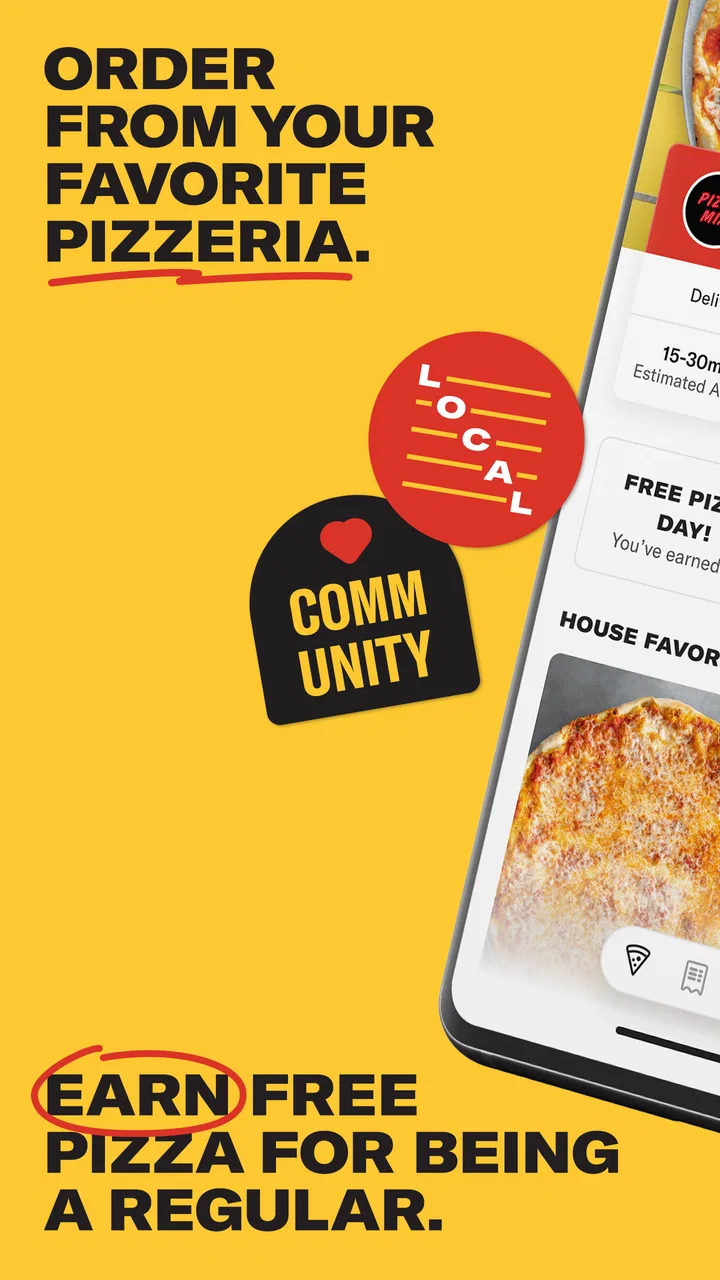
Slice Local Pizza Delivery
- 4.8
- Rating
- 5.00M
- Installs
- Free
- Price

 Analysis by App-foxy
Ordering pizza sounds simple until I am hungry, away from home, and trying to work out which nearby shop actually delivers to my address. Slice Local Pizza Delivery is built around that exact problem. It is a free Food & Drink app from Slice Solutions, Inc. that brings local independent pizzerias into one mobile ordering experience, with delivery and pickup handled from the same place. After using it, I see the main appeal less as “another food app” and more as a practical shortcut between a customer and neighborhood pizza shops.
My overall impression is that Slice is most useful when connectivity, location, and timing all line up. When the app can load nearby restaurants, menus, and order updates smoothly, it removes several small decisions from a busy evening. When the connection is weak or an address needs checking, the experience becomes more dependent on patience than I would like. That makes it convenient, but not magical.
What Slice feels like in everyday use
The first thing I noticed is that the app is designed for a very specific kind of choice: I want pizza from a local shop, but I do not want to search through separate restaurant websites or make several phone calls. Instead, I can browse participating independent pizzerias, compare what is available nearby, and choose between delivery or pickup. That focus gives the app a clearer purpose than a broad restaurant marketplace trying to cover every cuisine.
You May Also Like

 Blood Strike: 2.5 Anniversary
Blood Strike’s Loadouts Turn Every Drop Into a Tactical Gamble
A close look at Blood Strike’s custom loadouts: how fast access to signature weapons reshapes its battle royale rhythm, rewards preparation, and narrows the gap between fights.

 Pandora - Music & Podcasts
Pandora’s Music Is Easy to Start, but Harder to Recover
Pandora’s strength is its low-effort path from a seed to a station. Its weak spot is how much confidence it asks you to place in connection, setup, and quiet recovery.

 8 Ball Pool
 Is Built on Rivalries, Rematches, and Routine
A close look at the rivalries, rematches, shared routines, and unanswered safety questions that turn a quick pool match into a persistent mobile community.

 Samsung Music
’s Quiet Strength Is Playing What You Already Own
Its reach comes less from spectacle than from dependable access to a personal library. That simplicity is both the app’s strongest retention engine and its ceiling.

 AccuWeather: Weather Radar
AccuWeather Review: A Quick, Clear Forecast for Everyday Decisions
For everyday plans, the best forecast is the one you can understand quickly. AccuWeather makes rain timing, radar, and local conditions easy to act on, with a few trade-offs.

 Hill Climb Racing
Why Hill Climb Racing Still Turns Crashes Into One More Run
A tiny car, a bumpy hill and one more upgrade: Hill Climb Racing keeps resurfacing because its simple chaos makes every near-miss feel personal.
More From Our News Desk
View All News


The service has been available since February 8, 2017, and its current version is 7.4.1. It supports devices running iOS or Android versions from 8.0 onward, which makes it accessible to people who are not using a brand-new phone. Slice is free to install, and its content rating is Everyone, so it is straightforward to consider for a household device or a family member who simply wants an easier way to order dinner.
The store summary describes the central idea accurately, but the useful detail is in how that idea fits real routines. I can imagine using it on a Friday night when everyone wants something different, during a move when the kitchen is unavailable, or while staying in an unfamiliar part of town. It is also handy for pickup when I am already driving past a pizzeria and would rather place the order before arriving than wait at the counter.
Why local coverage matters more than a huge restaurant list
Slice is not trying to be equally useful for every type of meal. Its strength is the connection to independent pizzerias. That matters because a small neighborhood shop may have no polished standalone app, and its website may be awkward on a phone. A dedicated ordering channel can make that restaurant easier to discover without forcing me to remember its exact name first.
There is a trade-off, though. The experience depends on which local shops participate and serve the address I enter. If I am looking for a particular national chain, a restaurant in another category, or a place outside the app’s local coverage, a general delivery marketplace may be a better first stop. Slice makes more sense when the destination is an independent pizza restaurant rather than when I want the widest possible food selection.
Connectivity shapes the first decision
Because the app needs to present current restaurants and menus, the quality of my connection affects the experience from the beginning. On a strong home connection, browsing feels like the easy part: I can move from the local selection to a menu and start building an order. On a crowded mobile network, I would be more cautious about tapping repeatedly when a page takes time to respond. Repeated taps can turn a slow screen into uncertainty about whether an item was added once or more than once.
This is one reason I prefer to make the main choices before I am rushing out the door. If I am ordering from a familiar place, I can move quickly. If I am discovering a new pizzeria, I allow extra time for menus and restaurant details to load. That small change in habit prevents the app from becoming stressful simply because the network is busy.
Connectivity also matters at the payment and confirmation stage. I would not close the app immediately after pressing the final order button if the response is delayed. I would first look for a clear confirmation and check the order history or status area when available. The practical lesson is simple: treat a slow response as an instruction to verify, not as proof that the order failed.
A realistic mobile scenario
Imagine I am leaving work and want to collect pizza on the way home. I open Slice while connected to mobile data, select a nearby independent pizzeria, choose pickup, and build the order. In this situation, the app is more useful than calling because I can review the menu quietly on a train platform or in a parking lot. I would place the order before driving, then use the restaurant’s stated timing as a guide rather than staring at the screen every few minutes.
For delivery, the same workflow changes slightly. I would confirm the address carefully before selecting the restaurant, particularly if I am ordering to a hotel, a friend’s apartment, or a temporary location. A familiar home address is easy to overlook because it feels automatic. A mobile order is only convenient if the destination is correct, so I consider address review one of the most important steps in the entire process.
That scenario also shows where Slice is not the right tool. If I am already outside the restaurant and the connection is unreliable, calling the shop may be faster. If the order is highly customized and I need to explain an unusual request, speaking directly with the pizzeria can avoid misunderstandings. The app is strongest for clear, standard ordering, not for replacing every possible conversation with a restaurant.
Pickup and delivery are different kinds of convenience
Pickup is where I find the app especially efficient. It lets me decide what I want before reaching the restaurant, which can reduce waiting and makes the trip more predictable. It also works well when delivery would take longer than I am willing to accept or when I am already nearby. For someone who values control over the last part of the journey, pickup is not merely a backup option; it can be the better choice.
Delivery is more comfortable when I am at home, but it introduces more dependence on the address, the network, and the restaurant’s current workload. I would use the app’s order information as a useful reference, while still remembering that a digital status screen cannot remove real-world variables such as traffic or a busy kitchen. The app organizes the request; it does not control every part of the delivery.
What happens when something goes wrong
The most important recovery skill is knowing when to stop retrying. If the app appears frozen during checkout, pressing the button several times is not a good solution. I would wait briefly, then check whether the order was confirmed before making another attempt. This avoids the most frustrating possible mistake: accidentally submitting duplicate orders because the first response was slow.
If the menu stops loading, I would first check whether other apps or websites are responding. That tells me whether the problem is likely the connection or the ordering session. Moving from weak mobile data to a stable Wi-Fi connection can help, but I would still review the cart afterward rather than assuming every selection survived the change. A short verification is worth the time when dinner is involved.
If an order needs clarification, the restaurant remains part of the solution. Slice connects me to the ordering process, but the pizzeria prepares the food. For a missing instruction, an unclear substitution, or a question about a special request, direct contact with the shop may resolve the issue more effectively than repeatedly refreshing the app. I see this as a healthy limitation to understand, not a reason to dismiss the service.
Another useful habit is keeping the confirmation details visible until I am satisfied that the order went through. I would note the selected restaurant, delivery or pickup choice, and the expected timing. If I am ordering for a group, I would also compare the final cart with the original plan before closing the session. These checks are particularly valuable when several people are adding requests on one phone.
Using Slice without wasting mobile data
For ordinary ordering, I would not expect the app to be especially demanding, but browsing many menus and restaurant listings over mobile data can still be less efficient than ordering from a stable connection. If I know I will be comparing several pizzerias, I prefer to do that at home or on trusted Wi-Fi. Then, if I need to place a quick pickup order later, I am not spending time loading every option while standing outside.
Data-conscious use is also about reducing unnecessary refreshes. I do not repeatedly reopen the same menu just to see whether anything changed. I choose the restaurant, build the order, and verify it once. When a screen is slow, I wait rather than tapping through multiple times. That approach saves data and reduces the chance of confusing an old screen with a newly updated one.
On a limited plan, I would use Slice mainly for familiar restaurants and keep the browsing phase short. I would also avoid making a last-minute decision between many shops while traveling unless I have a reliable connection. The app can be convenient on mobile data, but convenience is not the same as independence from connectivity. Its useful content has to reach the phone before I can act on it.
How it compares with the usual alternatives
Compared with calling a pizzeria, Slice gives me a more visual way to review choices and place an order without explaining every item aloud. That is helpful when I am in a noisy place, ordering for several people, or trying to check the cart before submitting it. A phone call can still win when I have unusual instructions or need an immediate answer from the restaurant.
Compared with visiting a restaurant’s own website, Slice may feel more consistent when I am exploring local independent shops. I do not have to remember which restaurants have a mobile-friendly site or search for the correct page each time. The downside is that a restaurant’s own channel may be preferable for people who already know exactly where they want to order and do not need discovery.
Compared with a broad delivery marketplace, Slice has a sharper pizza focus. That focus can make the choice less overwhelming and better suited to local pizzerias. The broader service is more useful when I want groceries, multiple cuisines, or one combined order from different types of restaurants. I would choose based on the meal I actually want, not on the assumption that one app is best for every food decision.
Who will get the most from it
I recommend Slice to people who regularly order from independent pizzerias and want one familiar place to handle both delivery and pickup. It is also a good fit for anyone who dislikes calling restaurants, prefers to inspect an order before submitting it, or often needs to discover local pizza options in a new area. The free price makes trying it low-risk, and its average rating of 4.8 from around 75 thousand ratings suggests that many users find the experience dependable enough to keep using.
The app has also passed the scale test in a meaningful way: it has more than one million installs and around 29 thousand written reviews. Those figures do not guarantee that every local search will be perfect, but they do indicate that this is an established service rather than an obscure ordering experiment. I would still judge it by the restaurants available around my own address, since local coverage is more important than broad popularity.
I would skip it if my favorite restaurant does not appear, if I mostly order cuisines other than pizza, or if I need detailed human discussion for every order. People with unreliable connectivity should also keep a backup plan, especially when ordering for a party or during a time-sensitive event. In those cases, a direct call or a restaurant’s own ordering channel may be less elegant but more dependable.
Small habits that make the experience better
- Check the address before browsing deeply. This keeps the restaurant list relevant and prevents building an order that cannot be delivered where I am.
- Use pickup deliberately. If I am already passing a pizzeria, pickup can be faster and more predictable than waiting for delivery.
- Verify after a slow checkout. I wait for confirmation and inspect the order details before trying again.
- Compare the final cart with the group’s request. This catches missing toppings, wrong sizes, or an accidental change made while sharing one phone.
- Switch to direct contact for unusual requests. The app is excellent for structured choices, while a restaurant conversation is safer for explanations that do not fit neatly into the order.
These habits reveal the real trade-off. Slice reduces friction when the order is straightforward, but it rewards users who pay attention at the moments where network delays, address details, and restaurant-specific questions matter. I would not describe it as a substitute for judgment. I would describe it as a useful layer that makes ordinary pizza ordering easier when used with a quick final check.
My connectivity verdict
After looking at the app through the lens of connectivity, I see a clear pattern: Slice works best when I have enough signal to browse calmly, confirm the order, and review its progress. It is well suited to mobile contexts such as commuting, leaving work, or ordering from a temporary location, but I would avoid treating a weak connection as harmless during checkout. The service can simplify the ordering relationship with local pizzerias, yet the phone still needs a dependable path to the information.
For me, that makes Slice Local Pizza Delivery a worthwhile free app for local pizza fans, especially those who alternate between delivery and pickup. Its focused selection is a strength when I want an independent pizzeria, and a limitation when I want a complete restaurant marketplace. I would install it if local coverage around me is good, use Wi-Fi for browsing when possible, and keep the restaurant’s direct contact option in mind for anything unusual. That is a practical recommendation rather than blind praise: Slice is at its best as a convenient, connection-dependent bridge to nearby pizza shops.
FAQs for Slice Local Pizza Delivery
01What is Slice Local Pizza Delivery?
Slice Local Pizza Delivery is an app that connects users with local pizzerias for easy ordering and delivery. It focuses on supporting small, independent pizza shops by providing them with a platform to reach more customers, offering a convenient way for users to enjoy local flavors.
02How does Slice ensure quality and timely delivery?
Slice partners only with reputable local pizzerias known for their quality. The app offers real-time tracking so you can monitor your order’s progress. Additionally, they work closely with restaurants to ensure that deliveries are prompt, maintaining communication to address any potential issues.
03Are there any fees associated with using Slice?
Slice does not charge users a service fee, but there may be a small delivery fee depending on the restaurant’s policy. The app aims to keep costs transparent, providing detailed breakdowns of charges before you confirm your order, ensuring no hidden surprises.
04Can I customize my pizza order on Slice?
Yes, Slice offers extensive customization options. Users can choose from a variety of toppings, crust types, and sizes to tailor their pizza to their preferences. The app interface makes it easy to modify your order, ensuring you get exactly what you want every time.
05Is Slice available in my area?
Slice is expanding rapidly, but availability depends on your location and the local pizzerias in your area. You can check the app or website by entering your address to see if service is available, and they are continually adding new locations to serve more users.
Pros
- User-friendly interface
- easy to navigate.
- Wide selection of local pizzerias.
- Real-time order tracking available.
- Multiple payment options supported.
- Loyalty rewards for frequent users.
Cons
- Limited to select cities only.
- Occasional app crashes reported.
- Delivery times may vary.
- No customization of pizza toppings.
- Inconsistent customer service.

Slice Local Pizza Delivery
Gallery